Google for Jobs vs. LinkedIn vs. Indeed: Which Gets You Hired in 2026?
Google for Jobs, LinkedIn, or Indeed — which platform gets you hired fastest in 2026? We compare response rates, search quality, and optimization tactics.
Google for Jobs vs. LinkedIn vs. Indeed: Which Gets You Hired in 2026?
If you're spending hours blasting applications across every job platform hoping something sticks, you're not job searching. You're guessing. In 2026, the difference between a flooded inbox of rejections and an actual interview callback often comes down to which platform you prioritize and how you use it. Google for Jobs, LinkedIn, and Indeed are the three platforms most job seekers default to, but they work in very different ways, attract different employers, and produce wildly different response rates.
This guide is for active job seekers at any career stage who want to stop wasting time and start getting replies. Here's the upfront verdict: Google for Jobs currently delivers the highest response rate of the three (11.29% vs. 3.10% for LinkedIn and Indeed, per Huntr data from 600,000 applications). That doesn't mean you ignore the others. It means you use them strategically. Read on to learn exactly how.
Platform snapshot: Google for Jobs vs. LinkedIn vs. Indeed
| Feature | Google for Jobs | Indeed | |
|---|---|---|---|
| Cost to job seekers | Free | Free (Premium paid tier available) | Free (some features paid) |
| Monthly unique users | N/A (part of Google Search) | ~1.3B registered members | 330M unique monthly users |
| Active job listings | Aggregated from multiple boards | ~15.7M (as of Sept 2025) | Millions (shrinking post-2026 changes) |
| Response rate | 11.29% | 3.10% | 3.10% |
| Best for | Broad discovery, direct-to-company applies | Networking, senior/professional roles | High-volume search, hourly/SMB roles |
| Biggest limitation | No profile; no networking layer | High competition, low response rate | Major 2026 policy changes shrinking free listings |
| Indeed listings visible? | No | Yes (separate) | Yes |
How each platform works, and why it matters for your search
Google for Jobs: the aggregator with the best odds
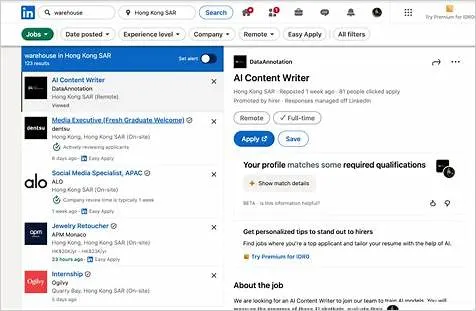
Google for Jobs is not a job board. It's a job search aggregator embedded directly in Google Search. When you type something like "product manager jobs remote" into Google, a dedicated job widget appears above the regular results, pulling listings from company career pages, ZipRecruiter, Glassdoor, LinkedIn, and dozens of other sources. Google uses machine learning to rank listings based on your query, location, and preferences.
The mechanics matter for job seekers in a few important ways. First, Google eliminates duplicate listings: if the same role appears on ZipRecruiter and Glassdoor, you see it once and can choose where to apply. Second, 20% of Google for Jobs listings direct candidates straight to the company's career site, bypassing third-party boards entirely. That direct-to-employer path is a big reason the response rate is so much higher. You're not one of a thousand applicants routed through a generic board; you're landing in the employer's own ATS.
One thing job seekers must know: Indeed listings do not appear in Google for Jobs. Indeed and Google compete directly in the aggregation space and have no active partnership. Searching only on Indeed means you're missing a large pool of listings visible on Google, and vice versa.
Google for Jobs optimization tactics:
- Use specific, role-title-level queries. "UX researcher fintech remote" outperforms "design jobs." Google's ML ranking rewards query precision.
- Set location and date filters aggressively. Filter to "Past 24 hours" or "Past week" to surface fresh listings before they get buried.
- Toggle "Remote" explicitly. Google has a dedicated remote filter; use it rather than adding "remote" to your keyword string alone.
- When a listing links to the company's career site, apply there. Don't click away to a third-party board. Direct applications have shorter routing paths and higher engagement rates.
- Set up email alerts. Google for Jobs lets you save searches and receive notifications, so you can be among the first applicants, which consistently improves response odds.
LinkedIn: the networking platform moonlighting as a job board
LinkedIn is categorically different from the other two platforms. With 1.3 billion registered members across 200 countries, 10 million C-level executives, 63 million decision-makers, and 180 million senior-level influencers, LinkedIn's real value is not its job board. It's who you can reach around the job board. Six people are hired through LinkedIn every single minute, which works out to over 8,600 hires per day.
That said, LinkedIn's raw application response rate is just 3.10%, the same as Indeed's, because the platform's scale works against individual applicants. With 49 million users searching for jobs every week and 65 million job seekers active on the platform, competition for any given role is fierce. Sponsored postings attract hundreds of applicants within hours of going live.
LinkedIn's real hiring power comes from the network layer, not the apply button. Recruiters actively source on LinkedIn, meaning your profile is your application even when you haven't clicked "Easy Apply" on anything. LinkedIn revenue reached $17.81 billion in fiscal year 2025 (up 9% year over year), and Q3 2026 revenue grew 12% year over year. The platform is expanding, not contracting, which means recruiter budgets are flowing here.
LinkedIn optimization tactics:
- Treat your headline as a keyword field, not a job title field. Instead of "Marketing Manager at Acme," write "B2B Content Marketing Manager | SaaS | SEO | Demand Generation." Recruiters search by skill, not company.
- Turn on "Open to Work," but use the private recruiter-only setting if you're employed. This signals availability without broadcasting it publicly.
- Complete your profile to "All-Star" status. LinkedIn's algorithm buries incomplete profiles in recruiter search results.
- Send a brief, specific connection note to the hiring manager or a team member before applying via Easy Apply. Even a two-sentence message dramatically increases the chance your application gets reviewed.
- Spend 10 to 15 minutes daily engaging with content in your target industry. Comments and posts raise your profile's algorithmic visibility to recruiters without paid promotion.
- Request two or three skills endorsements from colleagues for your top hard skills. LinkedIn's recruiter search weights endorsed skills more heavily than self-listed ones.
Indeed: the volume king undergoing a 2026 identity crisis
Indeed remains the largest job search engine in the world by application volume: 330 million unique monthly users, operations in 60-plus countries, 28 languages, and roughly 1 billion applications processed per year. It holds a 31.40% market share in the job board category and drives 66% of employer application volume, compared to LinkedIn's 13%. By raw numbers, it's not close.
But 2026 has brought significant structural changes that every job seeker needs to understand. As of March 31, 2026, Indeed dramatically reduced organic (free) job listing visibility. Jobs posted without proper ATS integration or Indeed Apply support are no longer eligible for free distribution. Free hosted job slots are now capped at three per employer per month, with just 30 days of organic visibility, down from 120 days under the old policy. Application volumes have dropped up to 50% since February 2026, per Job Board Doctor reporting.
The platform is explicitly moving to a sponsored-first marketplace. Organic listings get far less consistent visibility than they used to; sponsored jobs dominate search results. For job seekers, the picture is mixed: fewer stale, already-filled postings will clutter search results (a genuine improvement), but overall job volume on the platform is shrinking, which cuts into Indeed's breadth advantage.
Indeed optimization tactics:
- Upload your resume to Indeed's database. Even with fewer organic listings, recruiters actively search the Indeed resume database, which remains large and well-indexed.
- Filter by "Easily Apply" and sort by "Date Posted." With shrinking inventory, freshness matters more than ever. Apply within 48 to 72 hours of a posting going live.
- Use salary filters proactively. Indeed's salary transparency features are strong; filter by compensation range to avoid applying to roles that won't meet your floor.
- Set up Indeed Alerts for hyper-specific queries. Broad alerts now return noisier results as sponsored posts dominate; narrow your alert terms to reduce irrelevant notifications.
- Check company reviews on Indeed/Glassdoor before applying. With fewer listings, every application should be deliberate. Use Indeed's integrated employer reviews to qualify companies before investing time.
Who should use which platform
Use Google for Jobs if...
- You want the highest response rate per application submitted
- You're open to a wide range of industries and role types
- You want to find roles listed directly on company career pages
- You're running a broad discovery search to understand what's available
- Skip it if you need deep networking, want to be passively recruited, or need a profile-based presence
Use LinkedIn if...
- You're a mid-career or senior professional in white-collar industries (tech, finance, consulting, marketing, healthcare leadership)
- You want to be found by recruiters rather than only applying outbound
- You're targeting roles at large enterprises or well-funded startups where hiring managers are LinkedIn-active
- You're relocating internationally (LinkedIn's 200-country reach is unmatched)
- Skip it if you're applying to hourly, trade, or local service roles. The LinkedIn audience skews corporate, and those roles simply aren't posted there with the same density.
Use Indeed if...
- You're searching for high-volume, hourly, local, or SMB roles, where Indeed's employer base remains strongest
- You want salary transparency built into your search experience
- You're early in your career and applying to many roles at once
- Skip it if you're in a niche technical or executive role where the quality of the applicant pool matters more than volume. The 2026 changes have hit organic listings for specialized roles hardest.
A real-world job search workflow for 2026
Here's a concrete, repeatable process using all three platforms efficiently, designed for a mid-career professional making a pivot or running an active search:
Start with Google for Jobs (daily, 15 minutes). Run two or three hyper-specific queries using your target job title, industry, and location or remote preference. Sort by date. Identify three to five fresh listings. When possible, click through to the company's career site to apply directly. Save the search and enable email alerts.
Optimize your LinkedIn profile this week (one-time, two to three hours). Rewrite your headline with skills and keywords, not just your current title. Make sure your "About" section contains the job titles and skills you're targeting, not just a narrative of your past. Set "Open to Work" for recruiters only. Request endorsements for your top three hard skills from trusted colleagues.
Use LinkedIn for outreach, not just applications (30 minutes per week). For every five roles you apply to on any platform, identify the hiring manager or a team peer on LinkedIn and send one specific, non-generic connection request. Reference the role and one concrete reason you're interested in the company. This one habit accounts for a disproportionate share of LinkedIn's 8,600 daily hires.
Check Indeed two or three times per week (10 minutes each). Filter aggressively: salary range, date posted within three days, and "Easily Apply." Upload or refresh your resume in the Indeed resume database monthly so recruiter search results show you as active. Don't apply blindly; read employer reviews first.
Track everything. Use a simple spreadsheet or a free job tracker: platform, company, role, date applied, date of any response. After two weeks, calculate your personal response rate per platform. Allocate more time to wherever you're getting replies. Your own data beats any general benchmark.
Frequently asked questions
Is Google for Jobs actually better than Indeed and LinkedIn for getting hired?
By response rate, yes. Google for Jobs shows an 11.29% response rate versus 3.10% for both LinkedIn and Indeed, per Huntr data from 600,000 applications. The likely reason is that many Google for Jobs listings route directly to company career sites, creating a more direct applicant-to-employer connection. That said, Google for Jobs has no profile or networking layer, so it can't replace LinkedIn for passive visibility or senior networking.
Why don't Indeed jobs show up in Google for Jobs?
Indeed and Google compete directly in the job aggregation space. Indeed operates its own large aggregator and does not partner with Google for Jobs. This means a significant portion of jobs posted exclusively on Indeed are invisible in Google Search, and vice versa. Running both searches independently is the only way to cover the full market.
Do LinkedIn's "Easy Apply" applications actually get read?
Easy Apply applications are processed through LinkedIn's internal system and delivered to employers, but high competition means many go unread in crowded applicant pools. Easy Apply works best when paired with a direct outreach to the hiring manager or a team member on LinkedIn. Applications submitted with a warm introduction, even a brief connection message sent beforehand, consistently outperform cold Easy Apply submissions.
How have Indeed's 2026 changes affected job seekers?
Since March 31, 2026, Indeed dramatically reduced organic (free) job listing visibility, capping free postings at three per employer per month with only 30 days of visibility, down from 120. Application volumes on the platform dropped up to 50% since February 2026. The upside: fewer stale, already-filled ghost jobs. The downside: less overall job inventory, meaning seekers relying solely on Indeed may miss opportunities now only visible on other platforms or company career sites.
Should I pay for LinkedIn Premium as a job seeker?
LinkedIn Premium's job seeker plan offers InMail credits, applicant ranking ("Top Applicant" badging), and salary comparison tools. These features provide modest signal advantages in competitive applications. Even so, Premium is not a substitute for a well-optimized profile and active outreach. Free LinkedIn with a strong profile and strategic engagement outperforms a passive Premium subscriber in recruiter search results. Consider Premium for short, focused job search sprints of one to two months, not as a permanent subscription.
Editor's Picks
 News
News 3 Industries Actually Hiring in 2026 (And How to Break In Fast)
Jul 13, 2026
 News
News 584K Jobs Cut in 2026: What's Gone and Where to Pivot Now
Jul 13, 2026
 Interviews
 Your 7-Day Interview Prep Plan: Land the Job in 2026
Jul 13, 2026
 Industries
 AI Is Cutting These Tech Jobs in 2026 — and Creating These New Ones
Jul 13, 2026