AI Resume Writer 2026: Beat ATS Without Getting Flagged
Learn how to use AI resume writers in 2026 to beat ATS screening without getting flagged. Step-by-step tactics, tool comparisons, and a ready-to-use checklist.
AI Resume Writer 2026: Beat ATS Without Getting Flagged
You spent an hour perfecting your resume with an AI tool, hit submit on a role you're genuinely qualified for, and heard nothing. Not a rejection. Just silence. This is the defining frustration of job searching in 2026, and it has a specific cause: your resume is being filtered out before a human ever reads it. Applicant Tracking Systems (ATS) now screen candidates at nearly every company that hires at scale. According to Jobscan's 2025 audit, 97.8% of Fortune 500 companies (489 out of 500) use an ATS for talent acquisition. And it isn't just large enterprises anymore: 60% of small businesses with 1 to 50 employees now rely on ATS software too. Applications per hire have tripled since 2021, per Ashby's 2026 Talent Trends Report, which analyzed over 109 million applications. Recruiters simply cannot manually review every submission. The machine decides first.
The cruel irony is that AI resume tools, the very technology designed to help you, can actually make your rejection more likely if used carelessly. An estimated 65% of job seekers now use AI to write or improve their resumes, which means employers have wised up. Their ATS platforms and hiring teams are actively looking for suspiciously uniform, AI-generated language. The game in 2026 isn't "use AI vs. don't use AI." It's about using AI strategically: letting it handle the optimization grunt-work while making sure your resume still reads like you wrote it. This guide gives you the exact process.
Why standard ATS advice fails in 2026
The old advice was simple: stuff in keywords, use a clean single-column template, save as a .docx. That advice assumed a relatively dumb keyword-matching engine. Today's ATS platforms (Workday at 17% market share, Taleo at 15%, Greenhouse at 12%, and iCIMS at 10%) have moved well beyond simple keyword counts. More critically, AI is now embedded inside the ATS itself, not just sitting beside it. Greenhouse's March 2026 Benchmark Report and industry GRID data both confirm that 30% of recruiting teams have already moved to agentic AI workflows inside their ATS, where automated agents evaluate candidate fit across multiple dimensions at once.
This means two things for you. First, keyword stuffing is detectable and penalized. Modern ATS AI can identify implausible keyword density, inconsistent experience-to-skill ratios, and generic filler language associated with lazy AI prompts. Second, formatting alone won't save you. A pristine single-column .docx with the wrong skills vocabulary for a given role will score poorly regardless of how cleanly it parses. The principle to internalize: your resume must be simultaneously machine-readable, keyword-precise, and human-authentic. AI tools are excellent at the first two. Your job is to protect the third.
How to use AI resume writers without triggering red flags: step-by-step
Step 1: Choose a tool built for ATS, not just for writing
Not all AI resume tools are equal. General-purpose LLMs (like asking ChatGPT to "rewrite my resume") produce polished prose but have no awareness of how a specific job's ATS will parse your document. In 2026, the tools worth using are those built with ATS simulation at their core.
- Jobscan is the gold standard for ATS matching. In independent testing it achieved an 87% keyword match score, the highest of any tool benchmarked. Paste the job description, upload your resume, and it shows you a match rate plus a point-by-point breakdown of missing hard skills, soft skills, and searchability gaps.
- Rezi scores your resume against 23 ATS checkpoints in real time as you edit, with an AI Bullet Point Writer that generates role-specific experience descriptions. Its live scoring is uniquely useful for iterating quickly.
- Kickresume produces the strongest first-draft prose of any tool tested in 2026. Its GPT-powered assistant is fine-tuned on recruiter feedback, but apply its output to an ATS scanner afterward before submitting.
Decision rule: use Kickresume or a general AI tool for drafting, then run every final version through Jobscan or Rezi for ATS validation before submitting.
Step 2: Start with the job description, before you prompt the AI
The single most important thing you can do before touching any AI tool is to deeply analyze the job description (JD) you're targeting. Copy it into a document and highlight:
- Required hard skills (specific software, certifications, methodologies)
- Preferred/bonus skills (these often separate screened-in candidates from borderline ones)
- Exact job title phrasing (ATS systems weight title matches heavily)
- Action language the employer uses (e.g., "spearheaded" vs. "led," "managed P&L" vs. "oversaw budget")
Then use these exact phrases, not synonyms, when you prompt your AI tool or when you edit its output. ATS engines often match on exact strings, not semantic equivalents.
Step 3: Prompt the AI with specificity, not vagueness
Generic prompts produce generic output that both ATS AI and human recruiters recognize instantly. Compare:
| Weak prompt | Strong prompt |
|---|---|
| "Rewrite my resume for a marketing job." | "Rewrite this bullet point for a Senior Growth Marketing Manager role at a B2B SaaS company. The JD emphasizes 'pipeline generation,' 'HubSpot,' and 'cross-functional collaboration.' My original: 'Ran email campaigns that increased leads.'" |
The strong prompt produces output calibrated to the JD's vocabulary. Give the AI your actual metrics, your actual tools, and the exact language from the posting. The more specific the input, the harder the output is to flag as generic AI filler.
Step 4: Edit the output to restore your voice
This is the step most job seekers skip, and it's where resumes get flagged. AI output tends toward a recognizable pattern: smooth sentences, parallel structure, slightly formal register, and a rotation of predictable action verbs ("leveraged," "spearheaded," "orchestrated"). Hiring managers and AI detectors have learned to recognize this pattern.
After generating AI content, do a voice pass: read each bullet aloud. If it doesn't sound like something you'd say in an interview, rewrite the phrasing. Swap one AI-chosen action verb per section for one you'd actually use. Add a concrete detail (a company name, a tool version, a team size) that only you could know. This doesn't mean making the resume casual; it means making it specific.
Before (AI output): "Spearheaded cross-functional collaboration initiatives to optimize pipeline conversion metrics across the enterprise."
After (edited): "Partnered with Sales and RevOps to rebuild the mid-funnel email sequence in HubSpot, lifting SQLs by 34% in Q3 2025."
The "After" version passes ATS keyword matching and reads as human-authored.
Step 5: Run an ATS simulation before every application
Never submit a resume without running it through an ATS scoring tool first. The process takes under five minutes and can be the difference between a 45% match score and an 80%+ match score. Using Jobscan:
- Upload your tailored resume
- Paste the exact job description
- Review the match rate and the missing-skills list
- Add any missing hard skills that you genuinely have (don't invent them; ATS AI is increasingly capable of cross-referencing skill claims against experience descriptions)
- Recheck until you hit 75%+ match rate (80%+ is the target for competitive roles)
Step 6: Format for parseability, and follow these non-negotiables
Even the best content fails if the ATS can't parse your file. Follow these rules in 2026:
- File format: Submit .docx unless the application explicitly requests PDF. Most modern ATS platforms parse both, but .docx remains safer for older systems.
- No tables, text boxes, or columns for your main content. These break ATS parsing in Taleo and older iCIMS versions. Use them only in a separate visual version you'd hand to a human.
- Standard section headers: Use "Work Experience," "Education," "Skills," not "My Journey," "Where I've Been," or creative equivalents.
- No headers/footers for critical info: Don't put your name or contact information only in a Word header/footer. Many ATS systems skip these regions.
- Font: Calibri, Arial, or Georgia at 10 to 12pt. Avoid fonts that embed as images.
Step 7: Tailor every application, don't blast a generic resume
In 2026's hiring environment, where Greenhouse reports a 157.7% increase in applications per hire since 2022, a generic resume is a statistically losing strategy. The good news is that AI tools make tailoring fast. Keep a master resume with all your experiences, metrics, and skills. For each application, feed the relevant sections plus the JD to your AI tool of choice and generate a tailored version in under 10 minutes. Run it through Jobscan. Submit. This workflow is what separates the 8% callback lift (per the NBER field experiment) from the silence.
How this changes for different job seekers
Recent graduates and entry-level candidates
You have less experience to optimize, which means keyword placement in your skills section and education block carries more weight. Use Rezi's 23-checkpoint scanner to confirm your skills section uses the exact terminology in your target JDs: "Python" not "programming," "Google Analytics 4" not "web analytics." Treat coursework projects and internships the same way experienced candidates treat past roles: metrics-driven bullets, specific tools named.
Career changers
Your challenge is a vocabulary mismatch. Your experience is real, but your language is from a different industry. AI tools are well suited here. Use them to translate your existing bullet points into the language of your target field. Prompt: "Rewrite this bullet from my logistics background to match the language of a project management role in SaaS. Preserve the specific metrics." Then validate with Jobscan against a real JD to confirm the vocabulary translation landed.
Mid-career professionals targeting director-level roles
At this level, ATS keyword matching matters less than it does for junior roles because human screeners take over sooner. But the stakes are higher for the AI-generated-language problem: senior hiring managers are acutely sensitive to generic prose. Use AI for structure and keyword auditing, but write your executive summary and your top three bullets yourself. These are the first things a human reads.
Skilled trades and technical roles
Only 38% of skilled trades candidates currently use AI resume tools, which is actually a competitive advantage if you do it well. Focus AI use on ensuring certifications and technical qualifications (OSHA, AWS certifications, equipment-specific skills) appear in standardized, parseable format, not buried in prose.
Mistakes that will get your resume flagged or rejected
- Using AI output verbatim without editing. Fix: do a mandatory voice pass on every AI-generated section before submitting. If you didn't write a single word, it shows.
- Keyword stuffing a skills section with terms you can't back up. Fix: only list skills you can discuss confidently in an interview. ATS AI increasingly correlates skills with experience descriptions, and mismatches are flagged.
- Submitting the same resume to every job. Fix: use your master resume plus AI tailoring workflow. Ten extra minutes per application is worth it.
- Using creative section headers. Fix: rename "My Story" to "Work Experience." ATS parsers look for standard labels.
- Putting key information in tables, text boxes, or columns. Fix: use a plain single-column layout for the submitted version. Keep the designed version for in-person networking.
- Not checking your match score before submitting. Fix: run Jobscan or Rezi before every single application, not just the important ones.
Your ATS-ready AI resume checklist
Use this before every application submission:
Before you use AI
- Job description fully read and key terms highlighted
- Required and preferred skills listed separately
- Exact job title noted for use in resume summary
While using AI tools
- Prompt includes specific job title, industry, required skills, and your actual metrics
- AI-generated output reviewed and edited for voice authenticity
- At least one specific, verifiable detail added per bullet (tool name, team size, % result)
ATS optimization
- Resume run through Jobscan or Rezi with the specific JD pasted in
- Match rate at 75%+ (80%+ for competitive roles)
- All required hard skills from JD present in resume
- No missing certifications or credentials flagged
Formatting
- File saved as .docx (unless PDF specified)
- Standard section headers used (Work Experience, Education, Skills)
- No tables, text boxes, or columns in main content
- Contact info in body of document, not in header/footer
- Font is standard (Calibri, Arial, Georgia), 10 to 12pt
Final check
- Resume reads naturally when read aloud
- No implausible keyword density in skills section
- All claimed skills appear supported by experience bullets
Frequently asked questions
Can employers tell if I used AI to write my resume? Increasingly, yes, especially if you submit unedited AI output. Hiring managers and AI detection tools flag the characteristic patterns of generic AI writing: predictable action verbs ("leveraged," "spearheaded"), overly smooth parallel structure, and vague achievement language. The fix isn't to avoid AI; it's to edit the output aggressively, add specific details only you would know, and restore your natural voice. A resume that shows AI-assisted optimization (keyword alignment, strong structure) while reading as human-authored is the target.
Will an AI resume writer automatically beat ATS filters? Not automatically. AI writing tools improve your prose and can align your language to a job description, but they only beat ATS filters if you pair them with an ATS-specific scanner like Jobscan or Rezi. An AI-generated resume with a 45% keyword match will still be rejected. The combination of AI drafting plus ATS simulation is what produces the 50% more interview callbacks reported in the ResumeGo experiment.
How many versions of my resume should I maintain?
Maintain one master resume (complete, uncut) and tailor a new version for each application cluster (similar roles, similar companies). Don't maintain 50 separate files. Instead, use your AI tool to generate a tailored version from your master document per application, run it through Jobscan, and save it with a clear file name (e.g., YourName_SeniorPM_Greenhouse_July2026.docx).
Is it cheating to use AI to write your resume? No, and employers know candidates use these tools. The NBER field experiment covering nearly 481,000 job seekers found that AI-assisted candidates were 8% more likely to be hired, with no decrease in employer satisfaction. The ethical line is around accuracy: never fabricate skills, titles, or results. AI should help you articulate and optimize what's genuinely true about your experience, not invent a career you haven't had.
What ATS match score should I aim for? Target 75% as a minimum threshold and 80%+ for competitive or high-volume roles. Below 70%, most ATS platforms will automatically deprioritize your application regardless of your actual qualifications. Tools like Jobscan and Rezi make hitting these thresholds achievable in under 15 minutes of editing per application.
Editor's Picks
 News
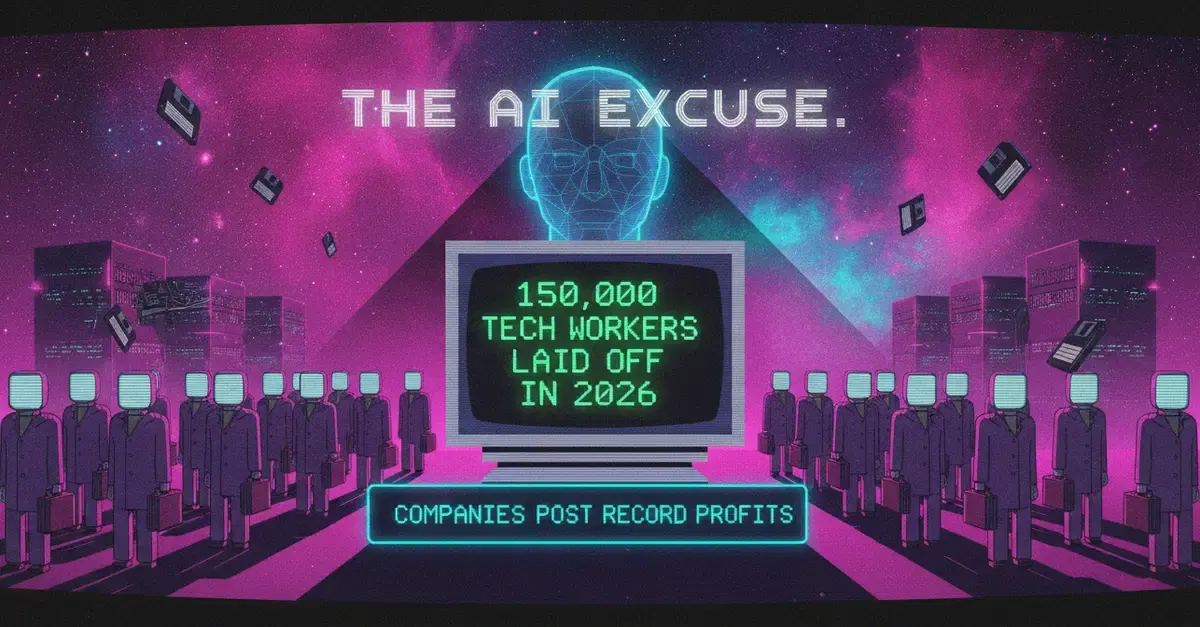
News AI Layoffs 2026: Record Profits, Pink Slips & Jobs That Survive
Jul 20, 2026
 Industries
 AI & ML Engineer Jobs 2026: Salaries, Skills & How to Break In
Jul 20, 2026
 Skills
 AI Skills Non-Tech Workers Actually Need to Get Hired in 2026
Jul 20, 2026
 Job Search
 Hidden Job Market 2026: Land Roles Never Posted Online
Jul 20, 2026